01
Walk the property
One pass with an iPhone. Condi records the room, the items in it and the shape of the space as you go.
Condi turns a short phone walk-through into a dispute-grade inventory and schedule of condition, with descriptions and conditions drafted where the evidence supports them and representative photographs where available.
Built for UK letting agents and room-level operators.
From a real check-in at a two-room London flat, 17 August 2026.
A deposit dispute is won or lost on what you can show. Condi drafts descriptions and conditions where the evidence supports them and includes a representative photograph where available, so check-out has something to compare against.


Windows
Scuffed
Flooring
Good
Chest of drawers
Good
Mirror
Good
Clothes rack
Good01
One pass with an iPhone. Condi records the room, the items in it and the shape of the space as you go.

02
Condi drafts descriptions and conditions from the available evidence. The clerk reviews and edits before anything is issued.

03
A full inventory and schedule of condition goes to the tenant to review and sign, with signature and decline tracked.
Schedule of condition, room-by-room item tables with photographic evidence, and, when usable scan geometry is captured, a floor plan measured from the scan.
Request the sample reportor email tanin@getcondi.com
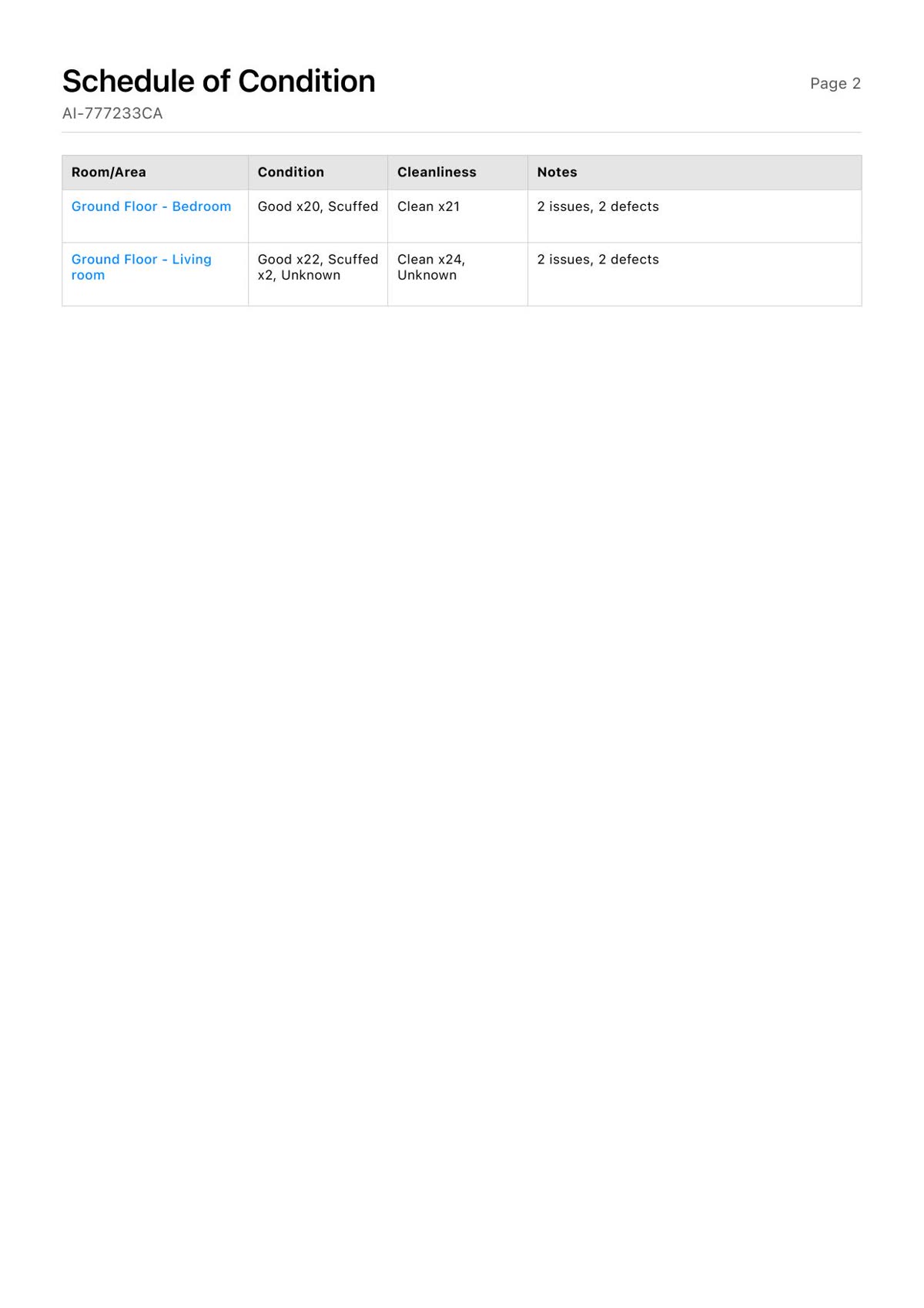
Schedule of condition
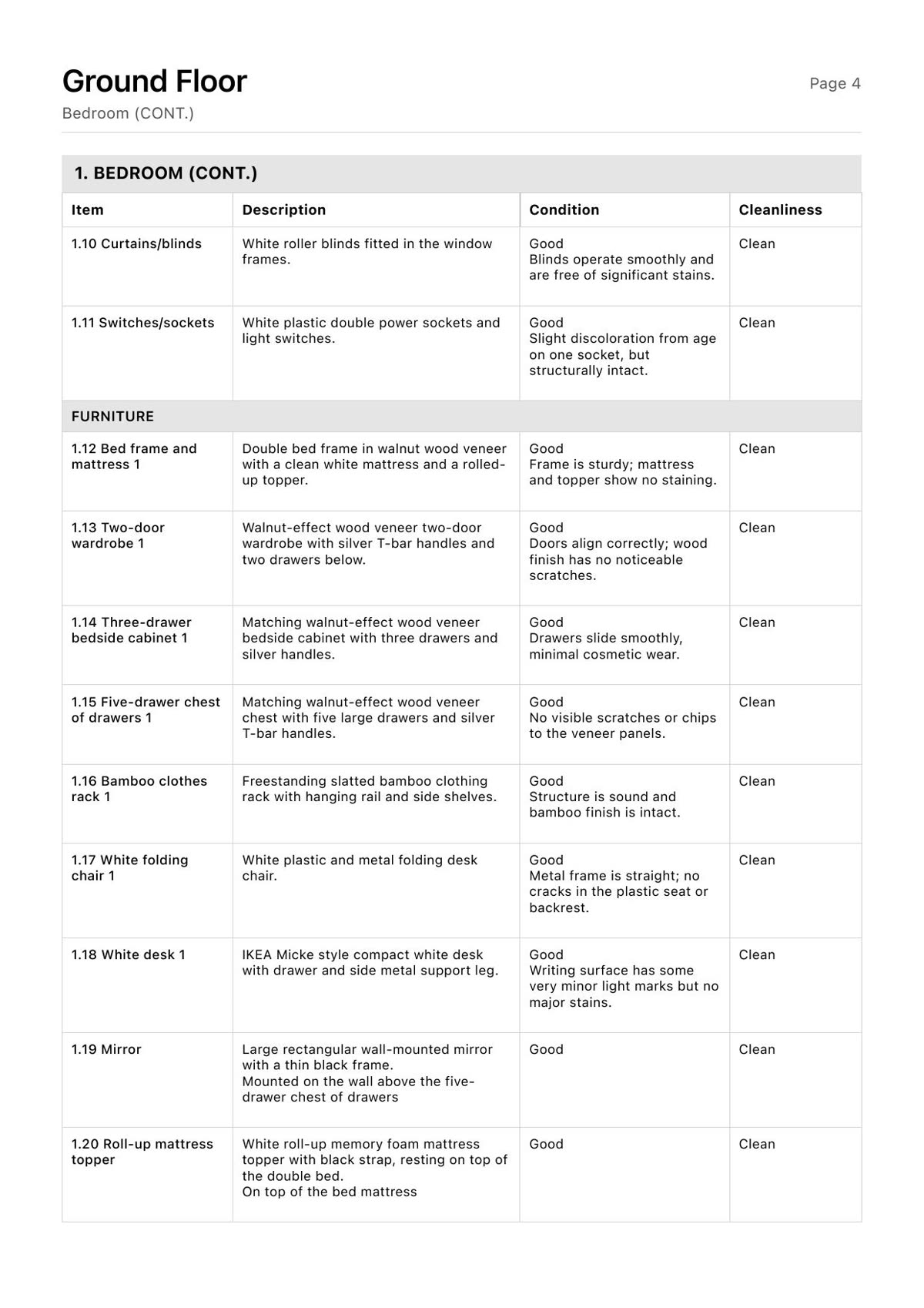
Item detail
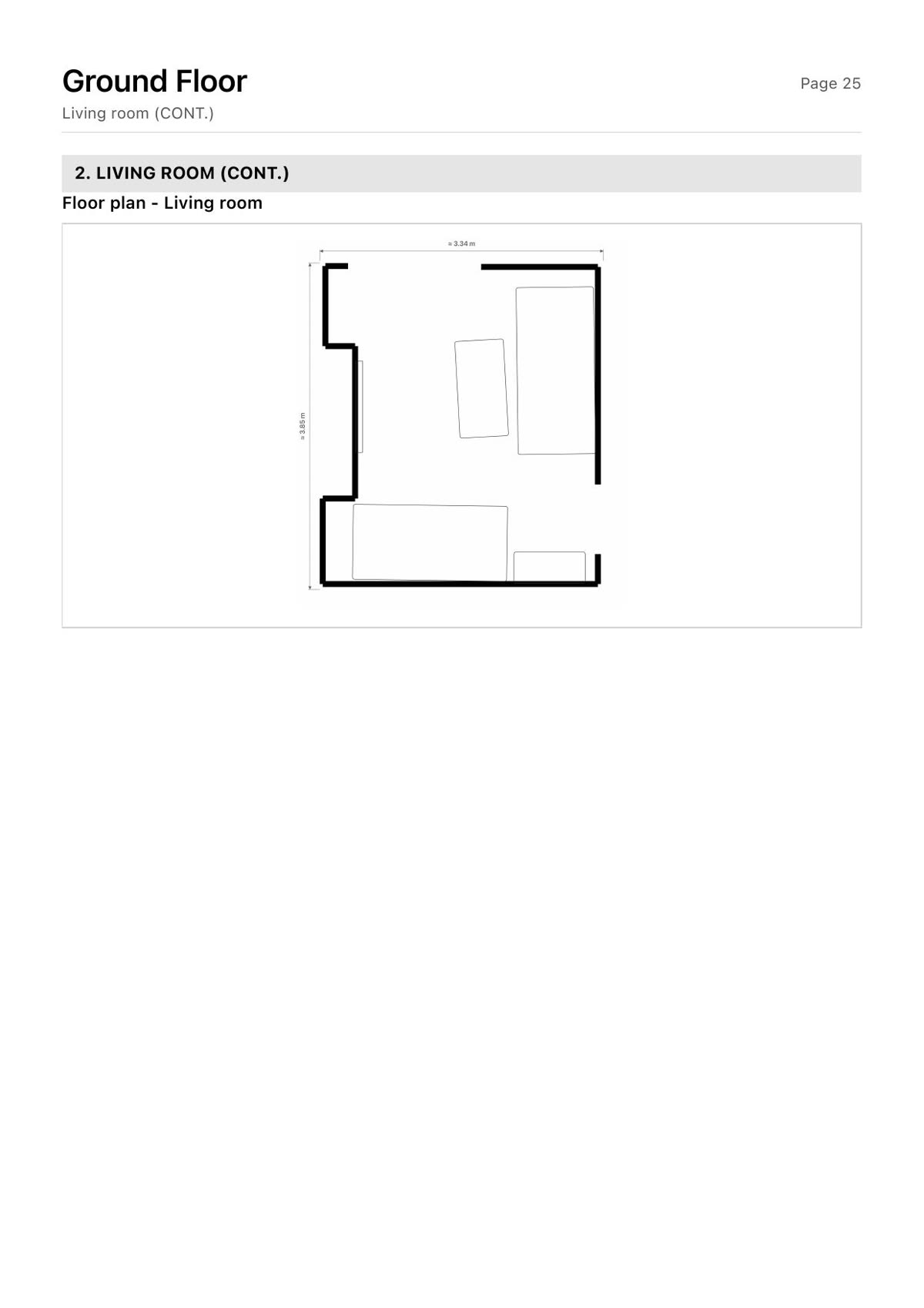
Floor plan
An iPhone with a LiDAR scanner (iPhone 12 Pro or a later Pro model). No other hardware, no tripod, no 360 camera.
No. Condi drafts descriptions and conditions where the walk-through provides enough evidence; some entries may remain unassessed or rely on photographs. The clerk reviews, edits and approves before anything is issued to a tenant.
The tenant gets a private link to review the inventory and sign digitally. Signature and decline are tracked.
Captures, photographs and reports are stored in our London data region. Reports sent for signature are also uploaded to our signing provider.
Single lets, HMOs and room-by-room operators, for check-in inventories.
Yes. Email tanin@getcondi.com and we will send you a sample report.
A short call. Bring an address and we will walk through the report it produces.
Book a demo